
IIS MONITOR 3

Your server,
in perspective.

Understand the activity behind your websites. Live IIS monitoring, Windows resource insights and local reports—together in one desktop application.

A two-day trial. A lifetime license for one computer.
For 64-bit Windows with IIS.

Made by AI Creations Now
Software Development
A quiet architectural view of a modern data center in deep teal and pearl tones
Closer to the activity.
Clearer on the details.

A CLEARER WAY TO OBSERVE

Keep the important
things in view.

From the first request to the finished report, IIS Monitor 3 helps you see what your server is doing and retain evidence you can review.

It reads your existing IIS data without changing websites, application pools, logging settings, DNS or firewall rules.

Discover the capabilities

THE SERVER, IN CONTEXT

One workspace.
A broader understanding.

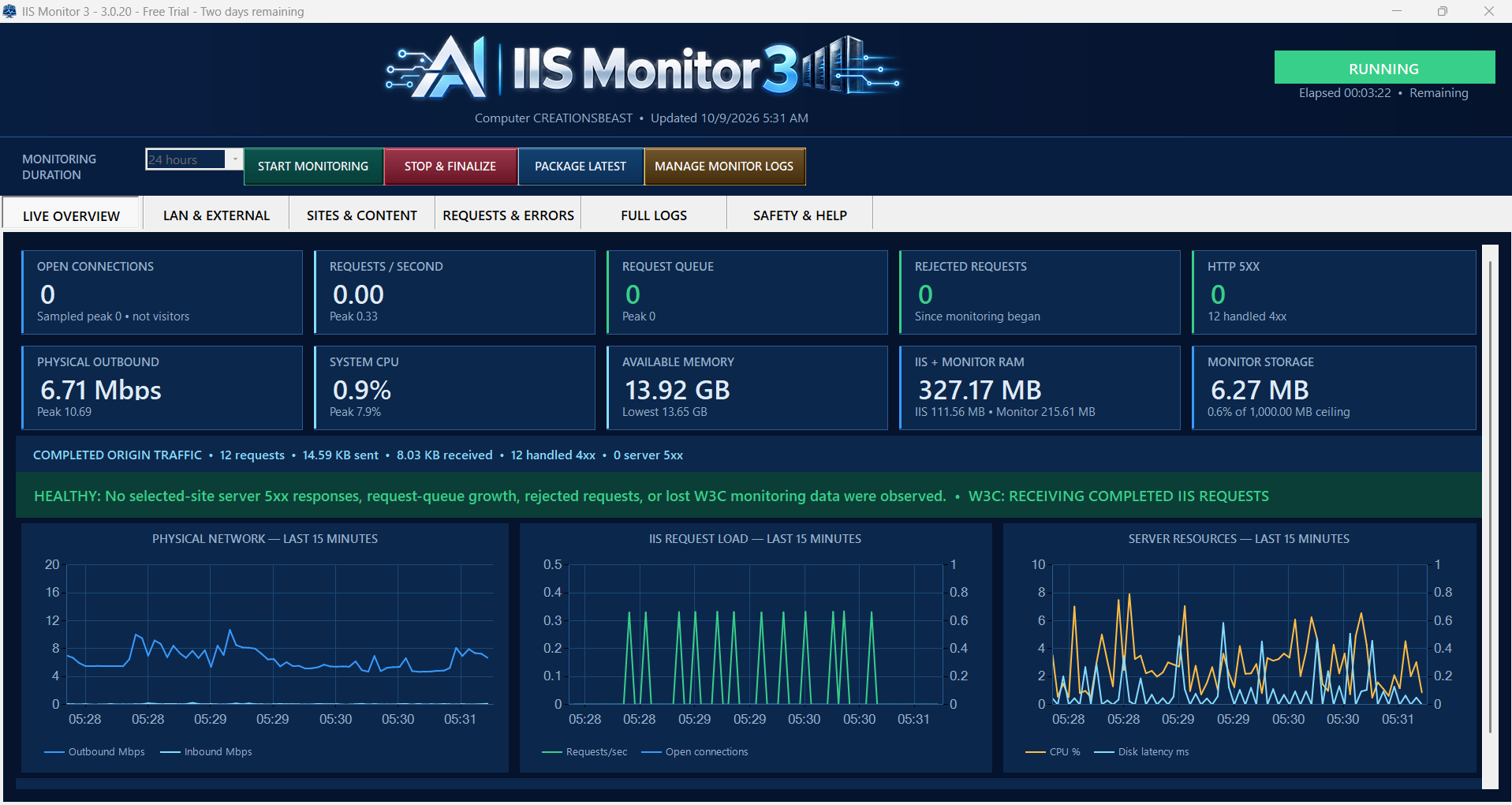
See requests, connections, queues, CPU, memory and disk activity. Move from an overview to the details that matter to your investigation.

IIS Monitor 3.0.20 Live Overview with activity charts, live server counters and Windows resource details
IIS Monitor 3.0.20 · Live OverviewExplore the interface

Core telemetry updates every three seconds. Detailed tables publish up to once per minute while changed.

DETAILS THAT MAKE A DIFFERENCE

01

Follow the traffic.
Find the context.

Separate physical network totals, LAN and public external TCP/UDP traffic, and completed IIS request evidence. Understand each view on its own terms.

Origin visibility matters: requests served entirely from a CDN cache do not reach IIS. Connections are not unique visitors.

Explore traffic visibility
02

Know your busiest content.

Review selected websites, downloads, uploads and URLs. Sort completed-request counts and byte totals to find the activity behind the numbers.

03

Make sense of HTTP errors.

Filter 4xx and 5xx responses, read clear status explanations, and inspect affected sites and suggested actions.

AN INTENTIONAL WORKFLOW

From observation
to evidence.

Choose what to watch. Decide how long to record. Keep the results on your computer.

  1. 01

    Set your scope.

    Select the IIS sites to monitor and a session from one hour to seven days.

  2. 02

    Watch it unfold.

    Follow live activity and explore network, request and content evidence as it becomes available.

  3. 03

    Keep your findings.

    Stop & Finalize saves the session. Review CSV, TXT and JSON reports, then create a ZIP to share when you choose.

Sessions that extend beyond the 48-hour trial require activation. Storage and system availability still limit recording. Reports may contain server and client details; review before sharing.

A CLOSER LOOK

Meet your new
server perspective.

Explore IIS Monitor 3 in the product film.

Plays muted while visible. Use the controls for sound or pause.

ROOM TO EXPLORE. SIMPLE TO KEEP.

Start with a trial.
Stay for a lifetime.

Your free two-day trial begins when you choose Start Two-Day Free Trial in the application. Installing alone does not start the clock.

Activate with your 10-digit license key before starting the trial, during it, or after it expires. Initial activation requires Internet access.

Download & system requirements

IIS MONITOR 3

$39.99

Lifetime license. One computer.

  • One-time payment
  • No recurring subscription
  • Local monitoring and session reports
Buy lifetime license Or download your free trial

Enter your delivered key in the app to activate. Payment alone does not activate the software.

A FEW USEFUL DETAILS

Start with
clarity.

Read the help & FAQs
Does the trial run while the app is closed?

Yes. It lasts 48 elapsed hours from your explicit trial start. You can activate during the trial in Safety & Help, or enter your key after the trial expires.

Does monitoring send my results to the cloud?

No. Session results remain on your computer and are not automatically uploaded. Initial license activation contacts the licensing service. Learn more in our privacy information.

What does IIS Monitor 3 need?

64-bit Windows with IIS, .NET Framework 4.8 or newer, and administrator access. Available measurements depend on installed Windows/IIS components and existing logging fields.

A focused tool from AI Creations Now Software Development.

Check us out on GitHub